
Customer Service Virtual Assistant: How to Delegate Support Safely
A customer service virtual assistant can handle email, chat and tickets while you focus on growth. Learn setup steps, quality checks and when to add more support.
In this article
A customer service virtual assistant answers customer email, chat and tickets using your approved answers, tone and escalation rules. Success depends on preparation: a documented knowledge base, a style guide, clear limits and regular quality checks.
Support is one of the most common things owners hand to a virtual assistant, and one of the easiest to get wrong. Done well, customers get faster replies and you get your time back. Done badly, replies are off-brand, mistakes repeat and complaints reach you anyway. The difference is preparation.
What a customer service virtual assistant can do
- Answer email and chat questions using your approved answers.
- Work tickets in a help desk tool, tagging and prioritising them.
- Process simple requests such as order status, address changes and password resets, within limits you set.
- Log feedback and recurring issues for you.
- Follow up on unresolved tickets.
- Maintain the knowledge base as answers change.
If you need phone support or 24/7 coverage, a team is usually a better fit; see customer support outsourcing setup guide and omnichannel customer support.
Set up before you delegate
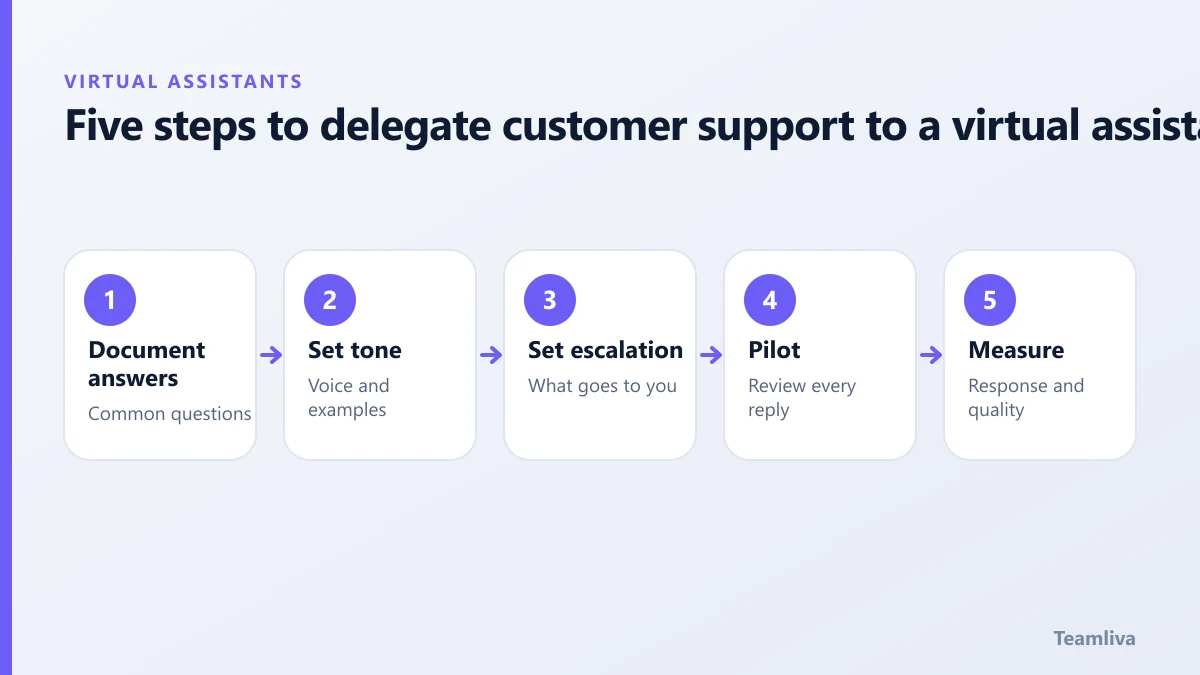
1. Document answers
List the twenty questions you answer most, with the best reply for each. This is the assistant’s knowledge base.
2. Define the tone
Give examples of replies you are proud of and replies you would never send. A short style guide of dos and don’ts works well.
3. Set escalation rules
Write down exactly what the assistant may decide (for example, refunds up to a set amount) and what they must pass to you. Include who to contact and how fast.
4. Pilot with review
For the first one or two weeks, review every reply, or have replies saved as drafts. Correct tone and content, then update the guide.
5. Measure
Track first response time, time to resolution, customer satisfaction and the number of escalations. Adjust the guide when the same escalation repeats.

Quality checks that scale
- Sample five to ten conversations a week and score them on accuracy, tone and completeness.
- Keep a list of "great replies" to reuse.
- Record every new question and its answer.
Protect customer data
Give access only to the systems needed. Do not let the assistant export customer lists. Use unique logins and multi-factor authentication, and sign a confidentiality agreement. See virtual assistant data security. If you handle health information, review the HHS HIPAA guidance.
When one assistant is not enough
Signs you need more capacity: replies slow down at peak times, one person covers all shifts, or you want more languages or channels. A managed pod adds cover and supervision. Compare options in remote staffing: how to scale your team.
Common mistakes
- Delegating before writing anything down.
- No escalation rule, so everything reaches you.
- Judging only by speed, not accuracy.
- Not updating the guide as products change.
Building the knowledge base your customer service virtual assistant needs
Start with a spreadsheet or document with four columns: the question, the best answer, the source of that answer and the date it was last checked. Add the twenty most common questions first. Each week, add any new question the assistant meets. After two months you will have a resource that also helps new hires and your website’s FAQ.

Metrics that show support is healthy
- First response time: how long a customer waits for the first reply.
- Resolution time: how long until the issue is closed.
- Reopen rate: the share of tickets customers reopen because the answer did not work.
- Customer satisfaction: a simple thumbs-up or score after each ticket.
- Escalation rate: the share of tickets the assistant needs to pass on. A falling rate means better guides and training.
Handling difficult customers
Give the assistant a short script for angry messages: acknowledge, apologise for the experience, state what you will do and by when, and escalate if needed. Remind them that they are not expected to absorb abuse. Give a clear route to hand over any conversation that becomes hostile.
Growing the service
As volume rises, add a second assistant, introduce a shared inbox tool and set up a weekly review meeting. Read remote staffing: how to scale your team for the next stage.
Key takeaways: customer service virtual assistant
- A customer service virtual assistant is only as good as the knowledge base, tone guide and escalation rules you give them.
- Start with the twenty most common questions and add every new one the assistant meets.
- Review every reply for the first one to two weeks, then sample weekly.
- Track first response time, resolution time, reopen rate, satisfaction and escalations.
- Add a second assistant or a managed pod when replies slow down at peak times.

Get help with support
Teamliva (Team Liva) provides customer support assistants and managed support pods working US hours. Explore BPO and staffing solutions or contact us to talk through your channels.
Frequently asked questions
How fast should a customer service virtual assistant reply?
Set a target based on your channel, for example a first reply within a few business hours for email. Agree it in writing and measure it.
What should a support assistant escalate?
Refund disputes above a set amount, legal threats, safety or privacy issues, angry customers who ask for a manager and anything outside the documented answers.
- #Teamliva
- #TeamLiva
- #VirtualAssistant
- #VirtualAssistantServices
- #HireAVirtualAssistant
- #CustomerServiceVirtualAssistant
- #CustomerSupport
- #HelpDesk