Dental Virtual Assistant: What They Do and How They Help Your Practice
A dental virtual assistant can handle scheduling, insurance verification, recall reminders and billing follow-up. See the tasks, privacy rules and how to start.
In this article
A dental virtual assistant is a remote team member who handles scheduling, insurance verification, recall reminders and billing follow-up for a dental practice. They must work under HIPAA-aligned safeguards, usually with a business associate agreement in place.
Dental practices lose time and revenue to problems that are not clinical. Empty chairs from cancellations, insurance surprises at checkout, overdue recalls and unpaid claims all sit in the front office, which is often understaffed. A dental virtual assistant is a remote team member who takes on that work so the in-office team can focus on patients in the building.
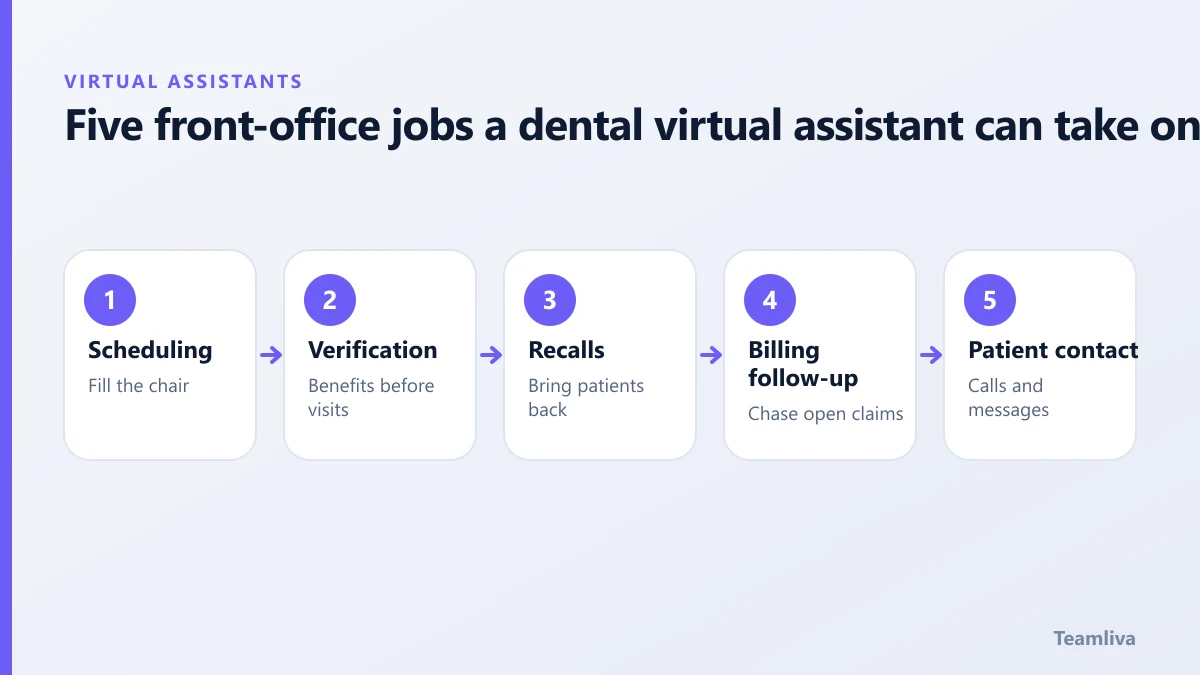
Tasks a dental virtual assistant can handle
Scheduling and confirmations
Booking, rescheduling and confirming appointments, filling gaps from a cancellation list and sending reminders. The same habits that reduce no-shows in medical practices apply; see patient scheduling and reducing no-shows.
Insurance verification
Checking eligibility, coverage limits, deductibles and waiting periods before the visit, and recording the result in the patient’s chart so the team is not surprised at checkout.
Recall and reactivation
Contacting patients due for hygiene visits or overdue for treatment, using your scripts and tracking replies.
Billing follow-up
Submitting claims, checking status, and following up on unpaid or aging claims. This overlaps with accounts receivable follow-up, which is just as important for dental revenue.
Patient communication
Handling non-clinical calls, emails and messages, and passing anything clinical to the right person.
Privacy: what to put in place
Dental practices in the US are usually covered entities under HIPAA. If a virtual assistant will see patient information, you should have:
- A business associate agreement with the assistant or their provider.
- Access limited to what the role needs.
- Unique logins and multi-factor authentication.
- Training on privacy and reporting incidents.
The US Department of Health and Human Services explains these requirements on its HIPAA pages. See also HIPAA compliance for remote teams and medical virtual assistants for healthcare practices.

What still needs to happen in the office
Clinical judgement, treatment planning discussions and in-person patient care remain with your clinical team. A remote assistant supports them; they do not replace them.
How to start
- Map your front-office workflow. Note where the delays happen: unconfirmed appointments, missing verification, slow recalls.
- Pick the first task. Insurance verification is a common, well-defined starting point.
- Document the steps with screenshots for your practice software and payer portals.
- Give access carefully. Only the systems the role needs.
- Review daily for two weeks, then weekly.
- Measure results: filled appointments, verified benefits before visits, recall responses, days in A/R.
Choosing a provider
Ask whether the provider has experience with dental or healthcare workflows, signs a BAA, uses controlled devices and can cover absences. Our checklist in best virtual assistant companies: how to compare helps.
Metrics to watch after you hire a dental virtual assistant
Track a small set of measures each month and compare with your baseline:
- Filled schedule: the share of available appointment slots that were booked and kept.
- No-show and late-cancellation rate.
- Verified benefits before the visit: the share of appointments with insurance confirmed in advance.
- Recall response rate: patients contacted who then booked.
- Days in accounts receivable for insurance claims.
If these move in the right direction over two to three months, the arrangement is working. If not, review the scripts, the systems access or the match.

Training your assistant on your practice
Even an experienced assistant needs to learn how your practice works. Provide:
- A short video or written walkthrough of your practice software.
- Your appointment types and lengths, with the rules for booking each.
- Your insurance verification checklist and how to record results.
- Scripts for recall calls and messages.
- A list of topics that must go to the dentist or office manager.
Encourage questions in the first weeks, and update the guide each time a new question comes up. Over a month, the guide becomes a real asset that helps the whole front office.
Keeping patients at the centre
Remote support should make the patient experience smoother, not colder. Set expectations for a warm, clear tone, and check a sample of messages each week. Patients should never feel they are talking to a script.
Key takeaways: dental virtual assistant
- A dental virtual assistant is most valuable on insurance verification, recalls and follow-up, the work that front desks struggle to fit in.
- A business associate agreement and limited access are essential whenever patient information is involved.
- Track filled schedule, no-shows, verified benefits, recall response and days in A/R against your baseline.
- Document your appointment rules and scripts so the assistant books correctly from the start.
- Keep clinical judgement and in-person care with your team.

Talk to Teamliva
Teamliva (Team Liva) supplies managed virtual assistants for healthcare front-office and billing work, with HIPAA-aligned handling. See our virtual assistant services and medical billing and RCM pages, or contact us to discuss your practice.
Frequently asked questions
Can a virtual assistant verify dental insurance benefits?
Yes. Verifying eligibility and benefits before the appointment is a common remote task, done through payer portals or by phone.
Do dental practices need a business associate agreement for a virtual assistant?
If the assistant accesses protected health information on your behalf, HIPAA generally requires a business associate agreement and appropriate safeguards. Confirm with your compliance adviser.
- #Teamliva
- #TeamLiva
- #VirtualAssistant
- #VirtualAssistantServices
- #HireAVirtualAssistant
- #DentalVirtualAssistant
- #DentalPractice
- #InsuranceVerification